Give Dynamics GP superpowers — scoring, capture & secure access, working overnight on the GP you already run. Start free →
The modern layer for Microsoft Dynamics GP

GiveDynamics GPsuperpowers.

Add confidence scoring on every document, AI document capture, EDI in and out, secure access, and Excel reports you ask for in plain English — right on top of the GP you already run. Work that used to wait for someone now happens overnight.

15–30 minute install. Start free.

Works on your existing GP
No migration, no disruption
Cancel anytime
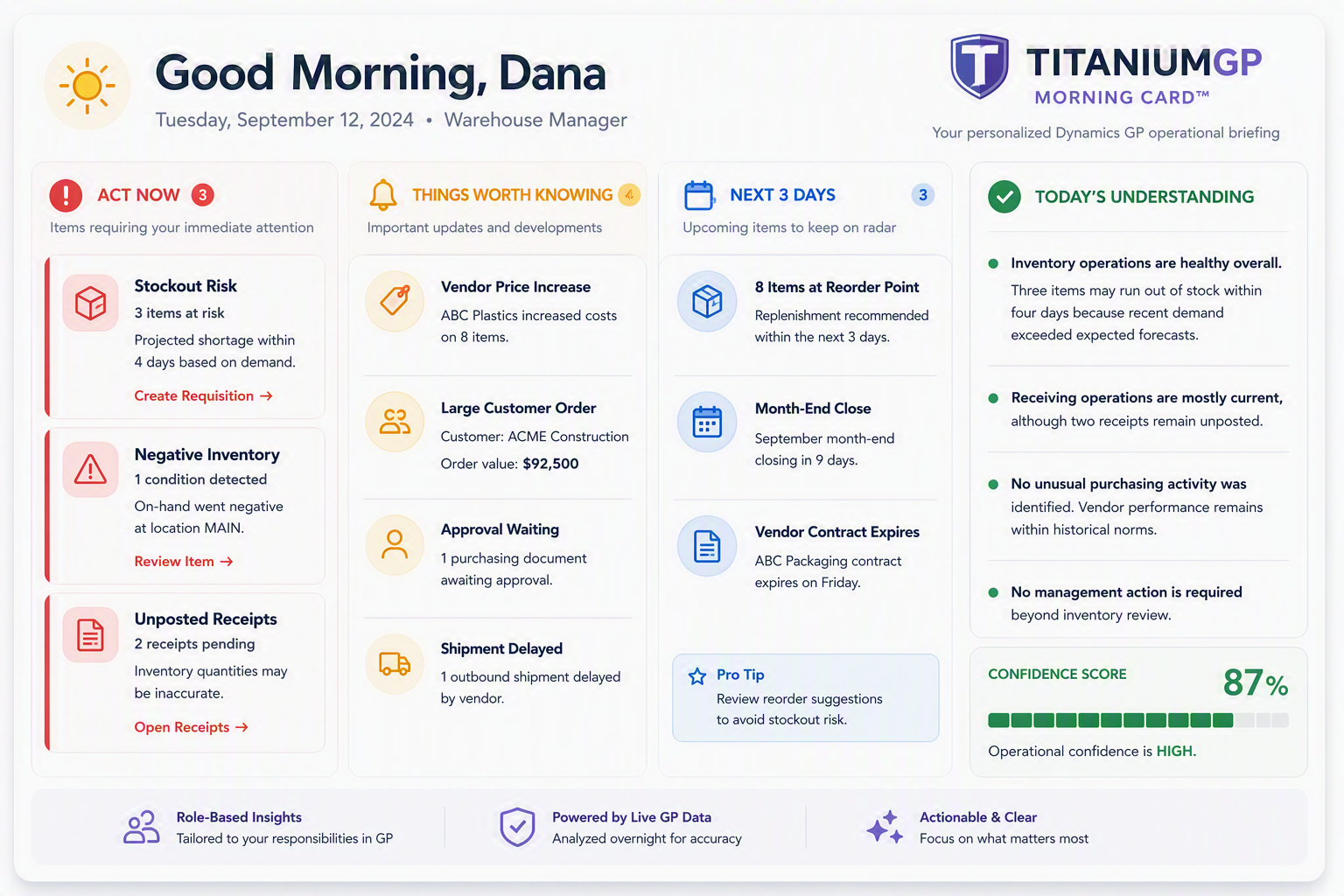
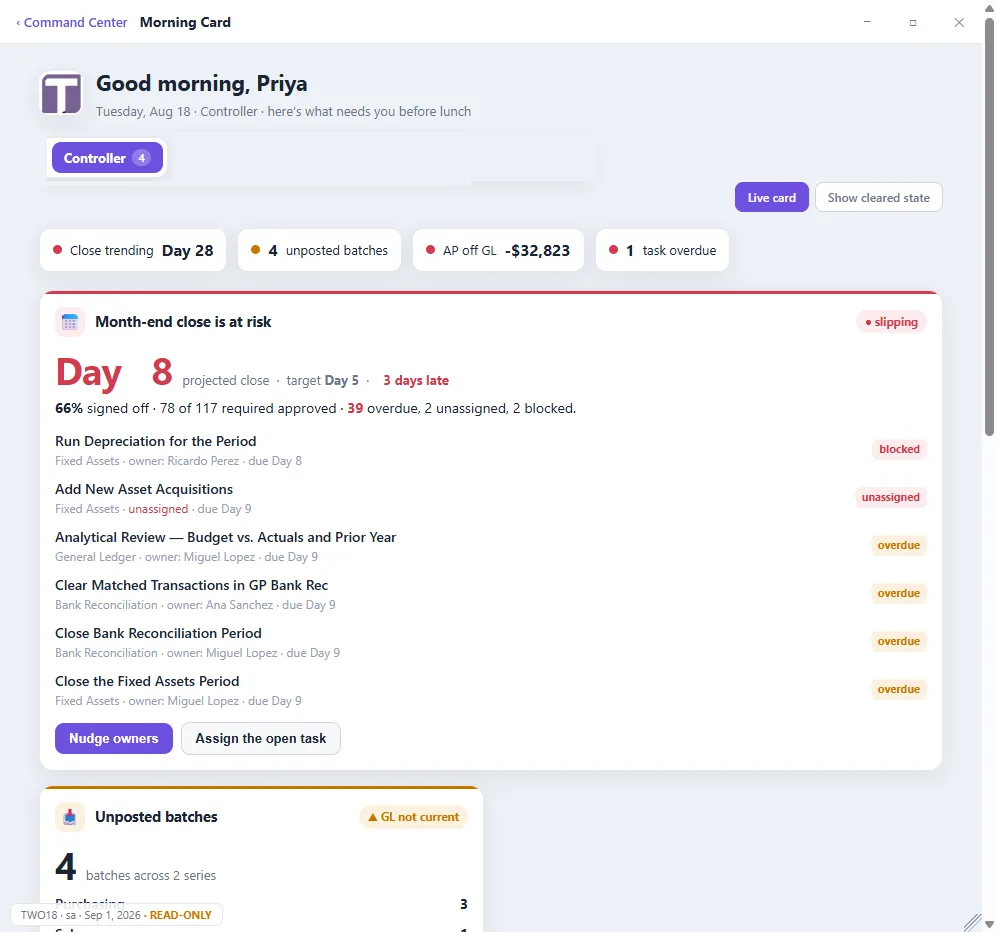
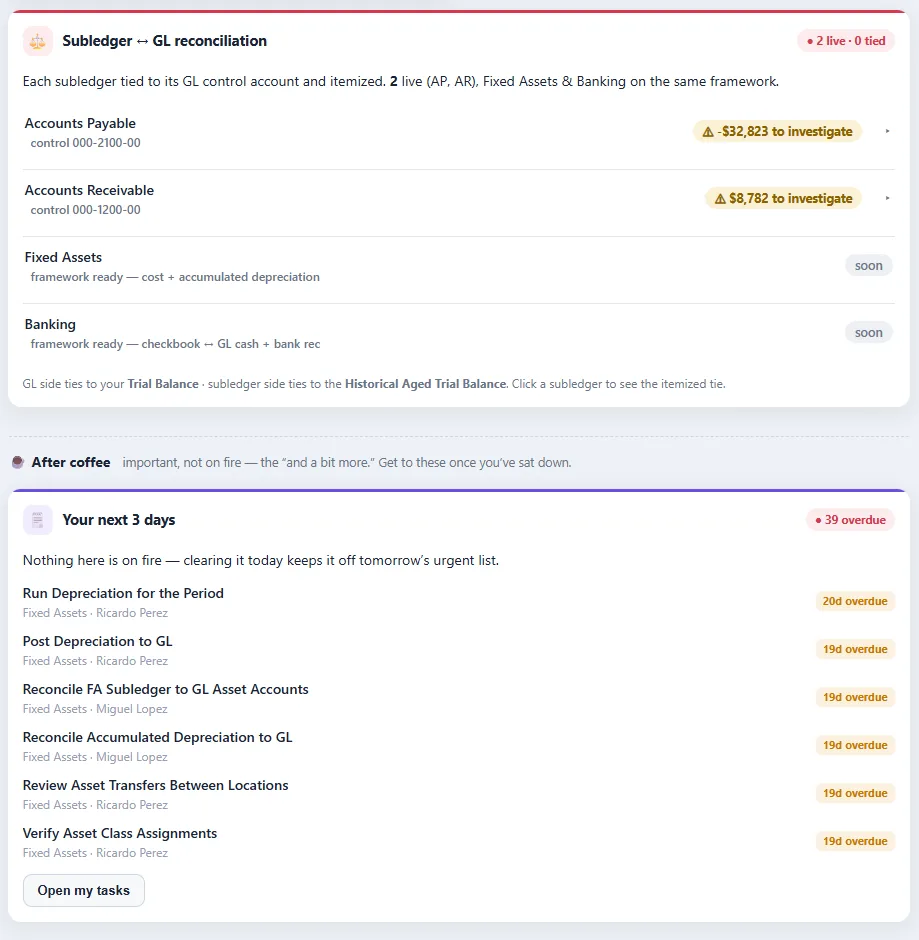
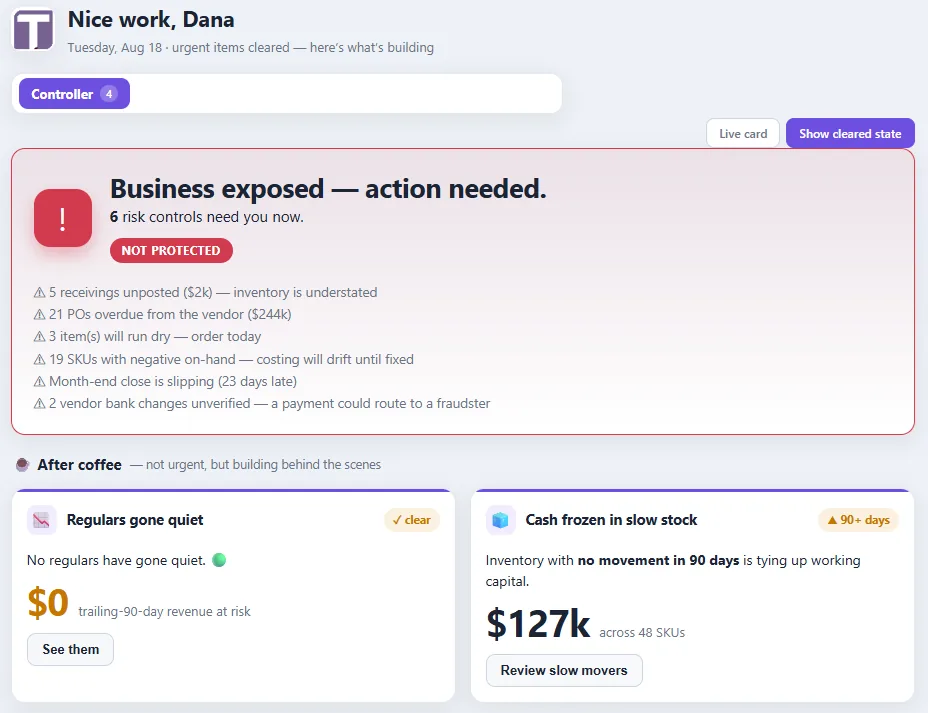
The TitaniumGP Morning Card: a personalised Dynamics GP operational briefing showing three items to act on now, four things worth knowing, what is coming in the next three days including month-end close, and an overall operational confidence score of 87 percent.
Analysed overnight Operational confidence: 87% Click the card to read it full size

Trusted by finance & operations teams running Dynamics GP

Northwind Mfg Harbor Foods Cascade Dist. Meridian Group Optima Retail
The platform

Everything modern GP should have — built right in

Seven modules that turn Dynamics GP into a platform your team is proud to run — on top of the productivity suite that started it all.

Coming soon: Document Recognizer, EDI, Command Center (including Search) and the Month-End Close Monitor. Everything else is available today. Ask about early access.

TGP Sentry

Intelligence

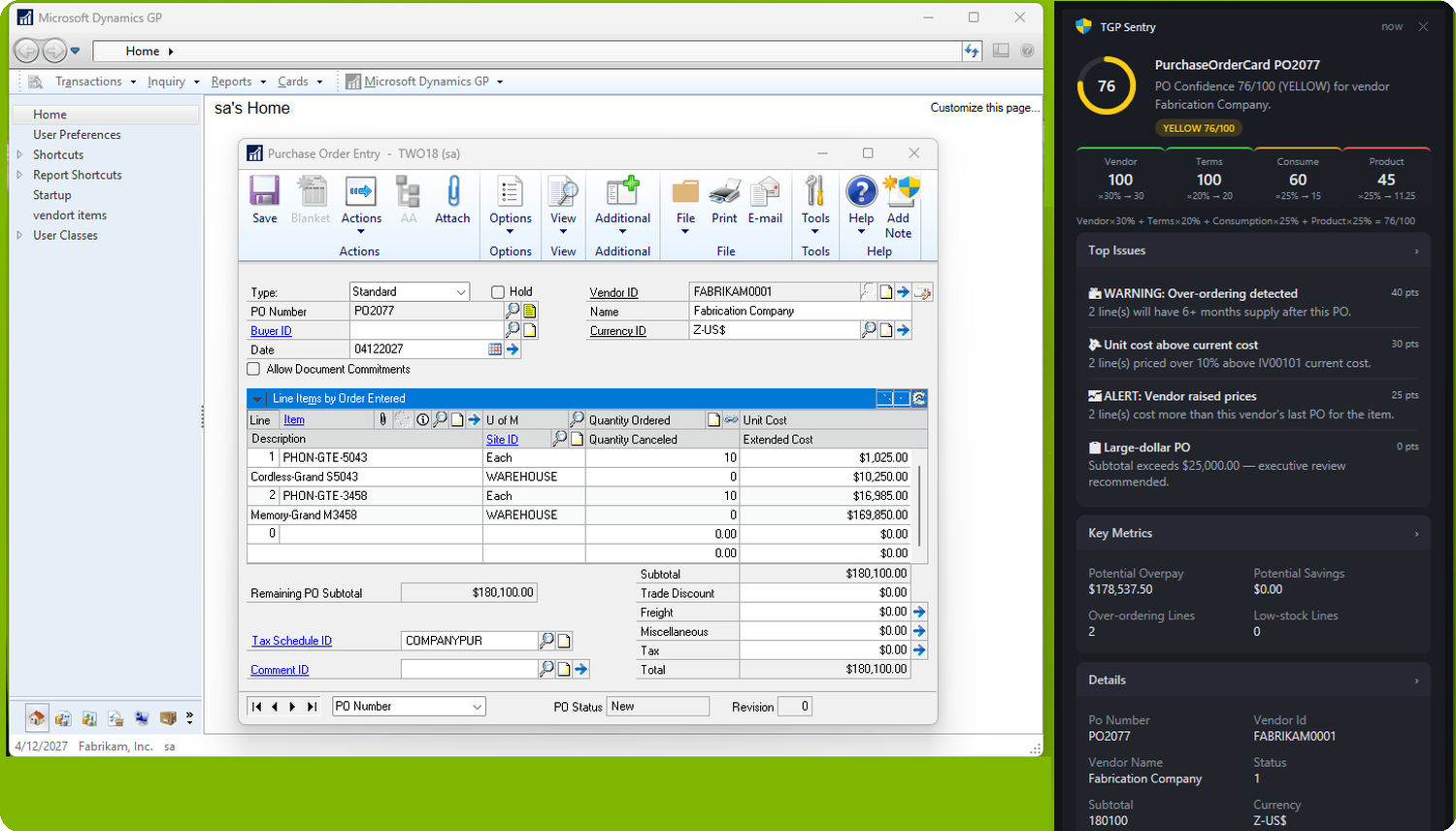
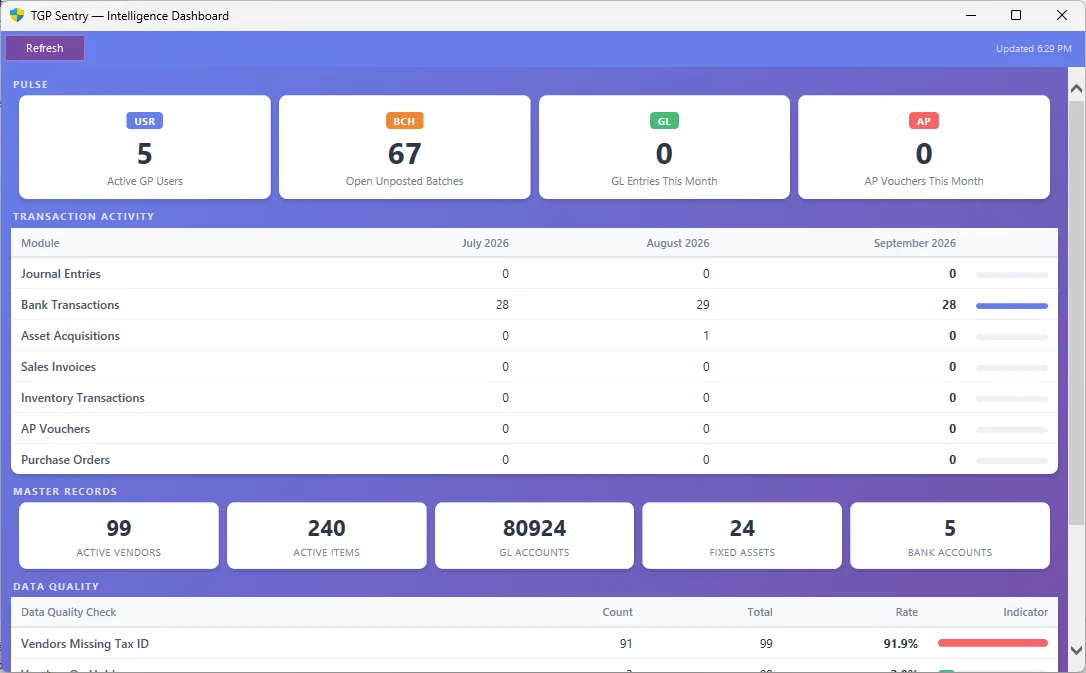
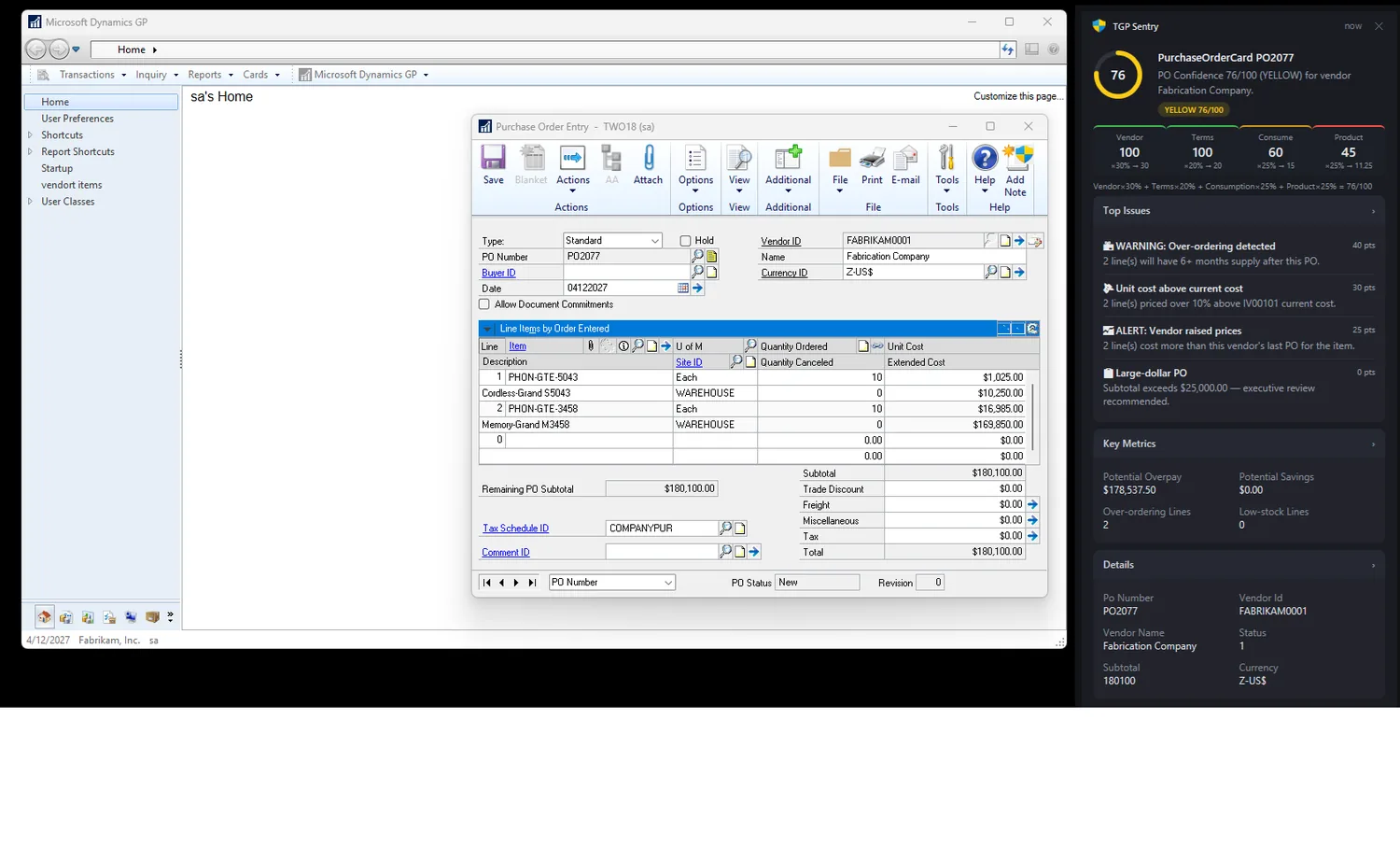
Scores every PO, vendor and item against rules you tune — surfacing anomalies, cash insights and risk before they become problems, and always showing its working.

Learn more
Document Recognizer

Automated capture Coming soon

AI reads invoices, POs and documents and posts them straight into GP — no manual keying, no typos. Turn the AI off and it reads the text only, so nothing leaves your environment.

Learn more
EDI

Electronic trading Coming soon

Exchange orders, invoices and shipping docs with your trading partners — modern EDI, native to Dynamics GP.

Learn more
Command Center

Secure access Coming soon

A modern control surface for GP — sign in with GP credentials or Active Directory, with role-based access and full visibility.

Learn more
Command Center

Search Coming soon

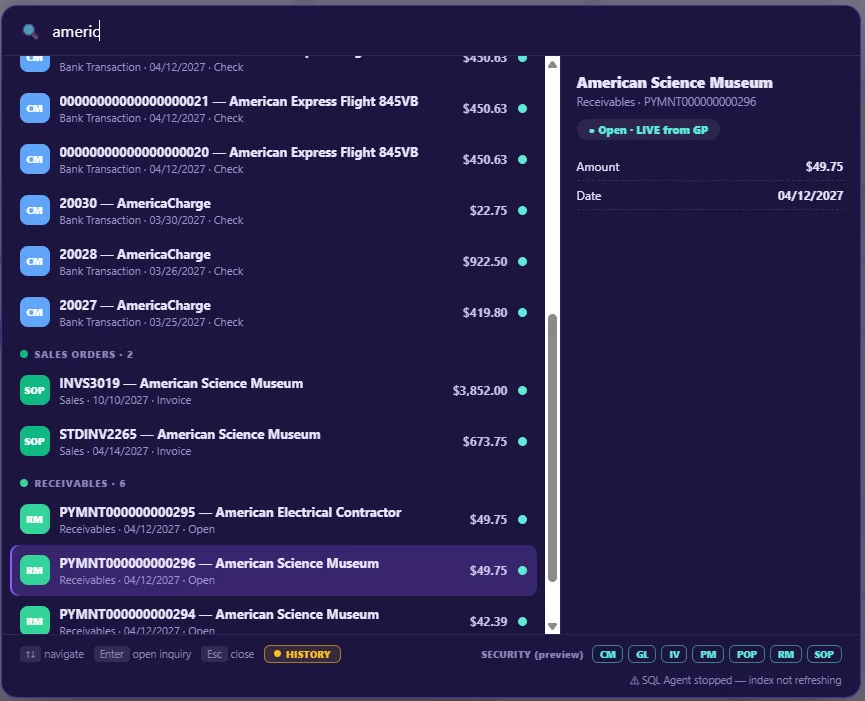
Universal search across your GP data — live and historical, records and documents together, from one box instead of a dozen inquiry windows.

Learn more
Close Monitor

Month End Close Coming soon

118 close tasks across 9 GP modules, each assigned with a due date. Semi-automated: the checklist, dates and tracking run themselves, the accounting stays with your team.

Learn more
TGP+ for Excel

Excel with AI

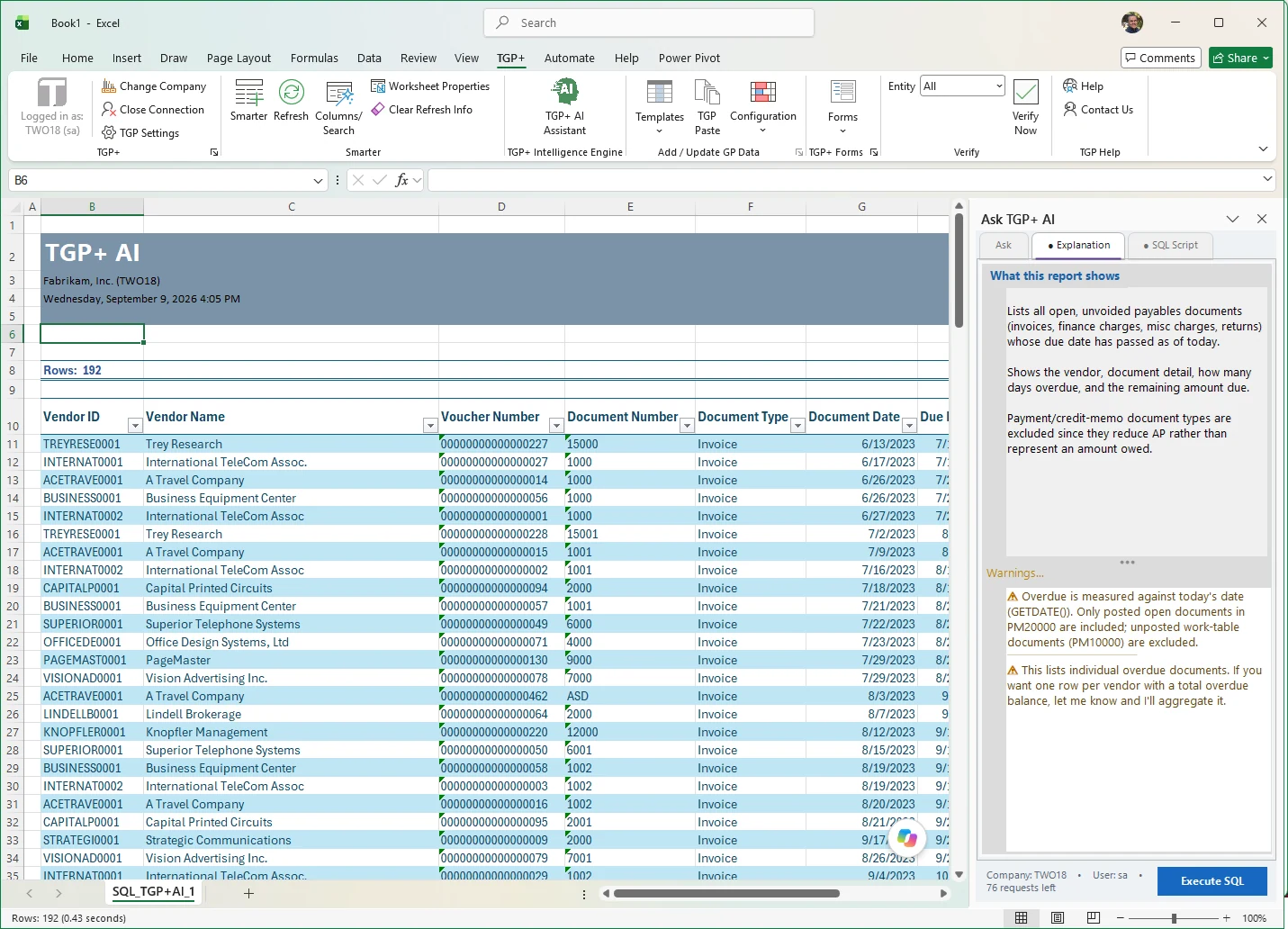
Pull live GP data into Excel and ask questions in plain English. Build reports at the speed of thought.

Learn more
The Foundation

Productivity Suite

Copy/Paste, Elastic Windows, The Button, Validate and more — the proven utilities GP users rely on every day.

See the suite
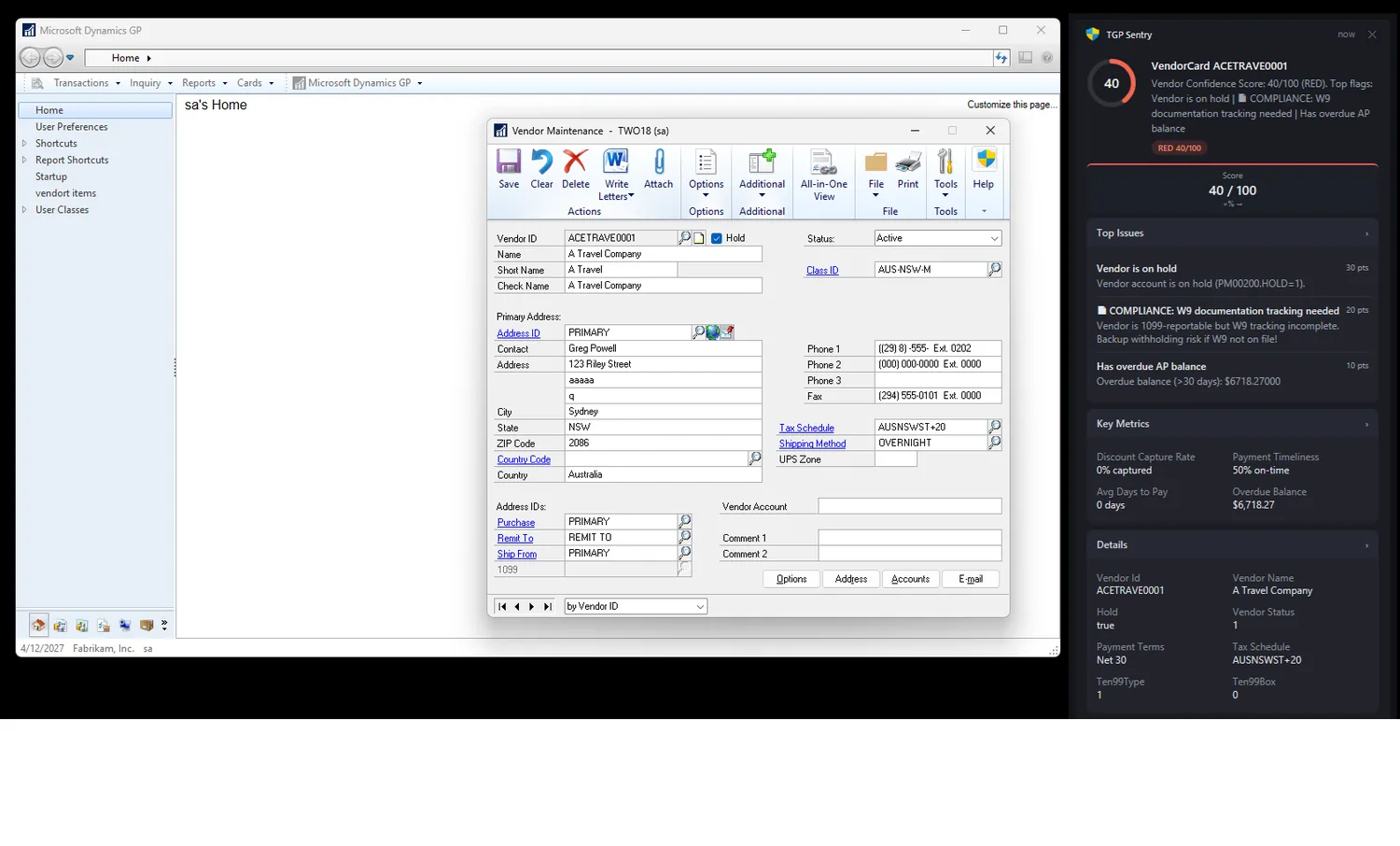
TGP Sentry · Intelligence

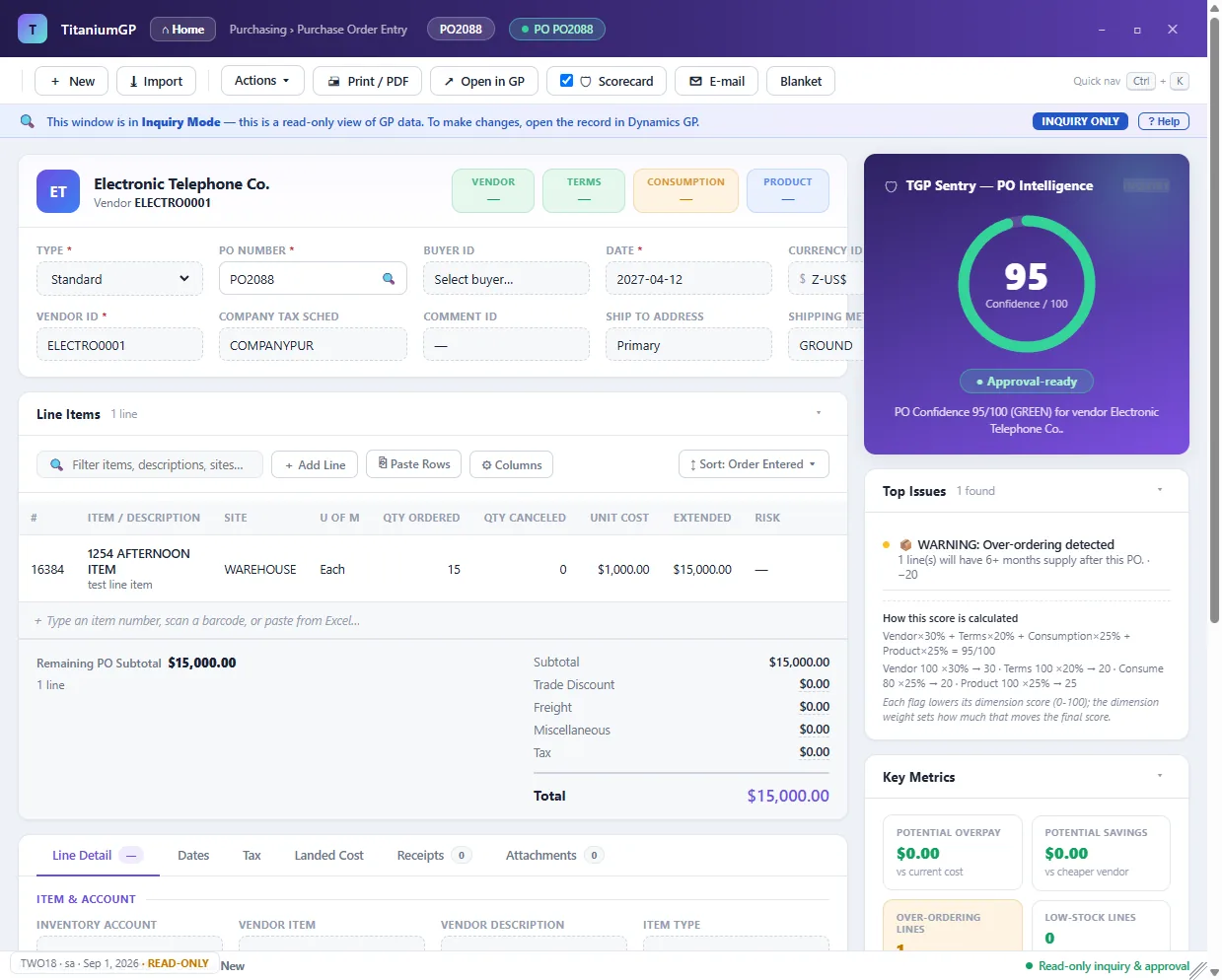
Confidence on every transaction, as you work

TGP Sentry scores every PO, invoice, vendor and item as your team works — a clear confidence number, the issues that matter, and their exact dollar impact.

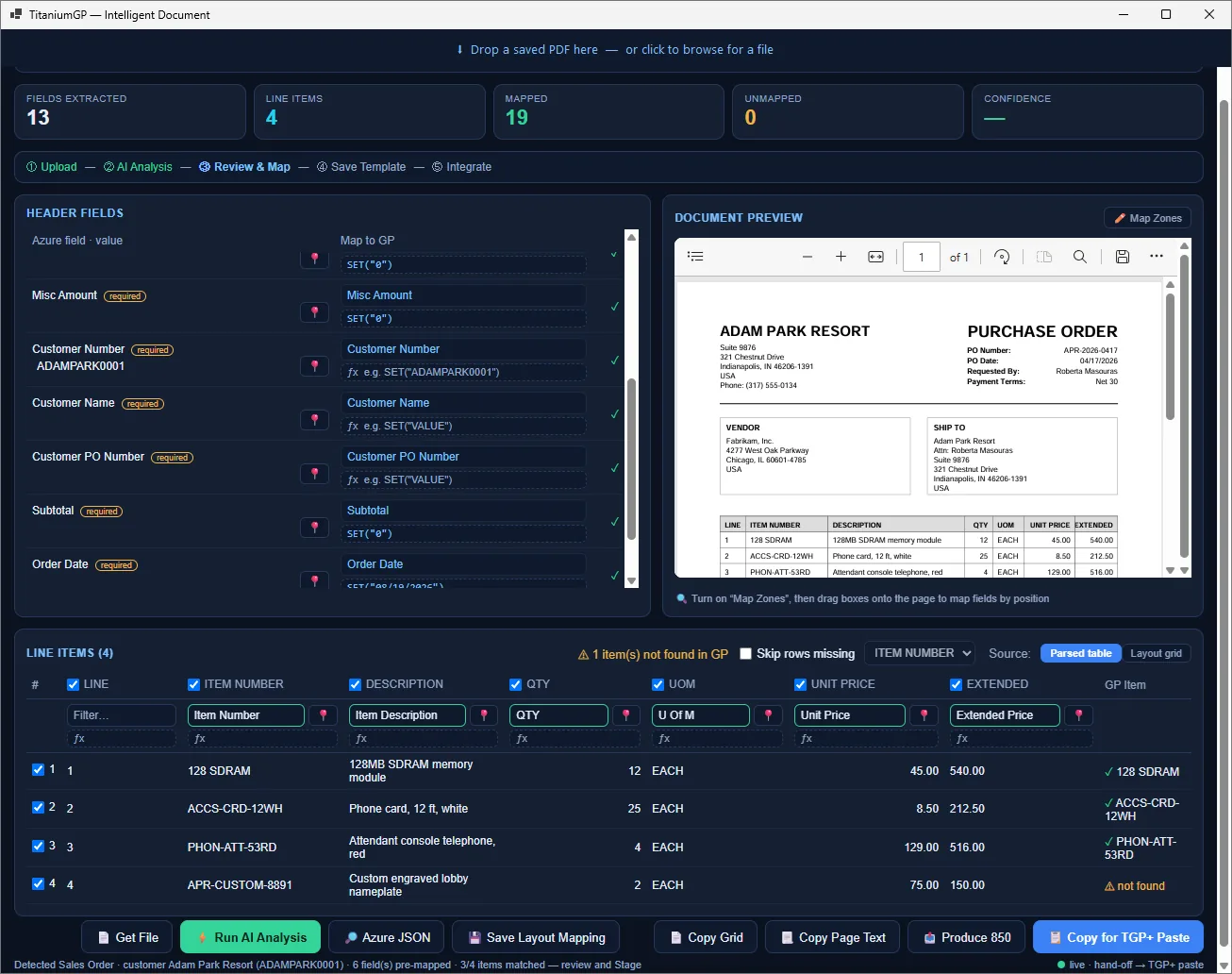
Intelligent Document · Capture & EDI

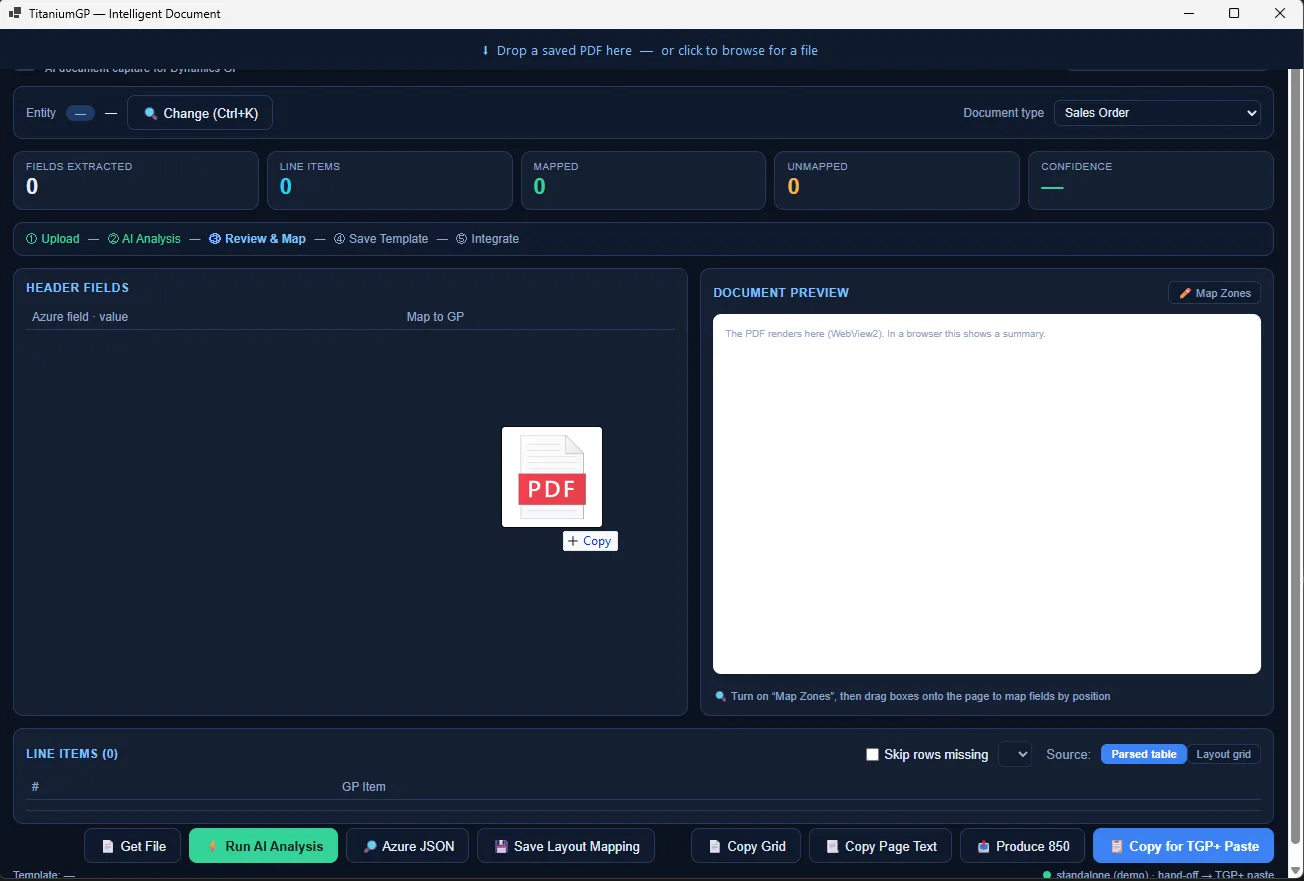
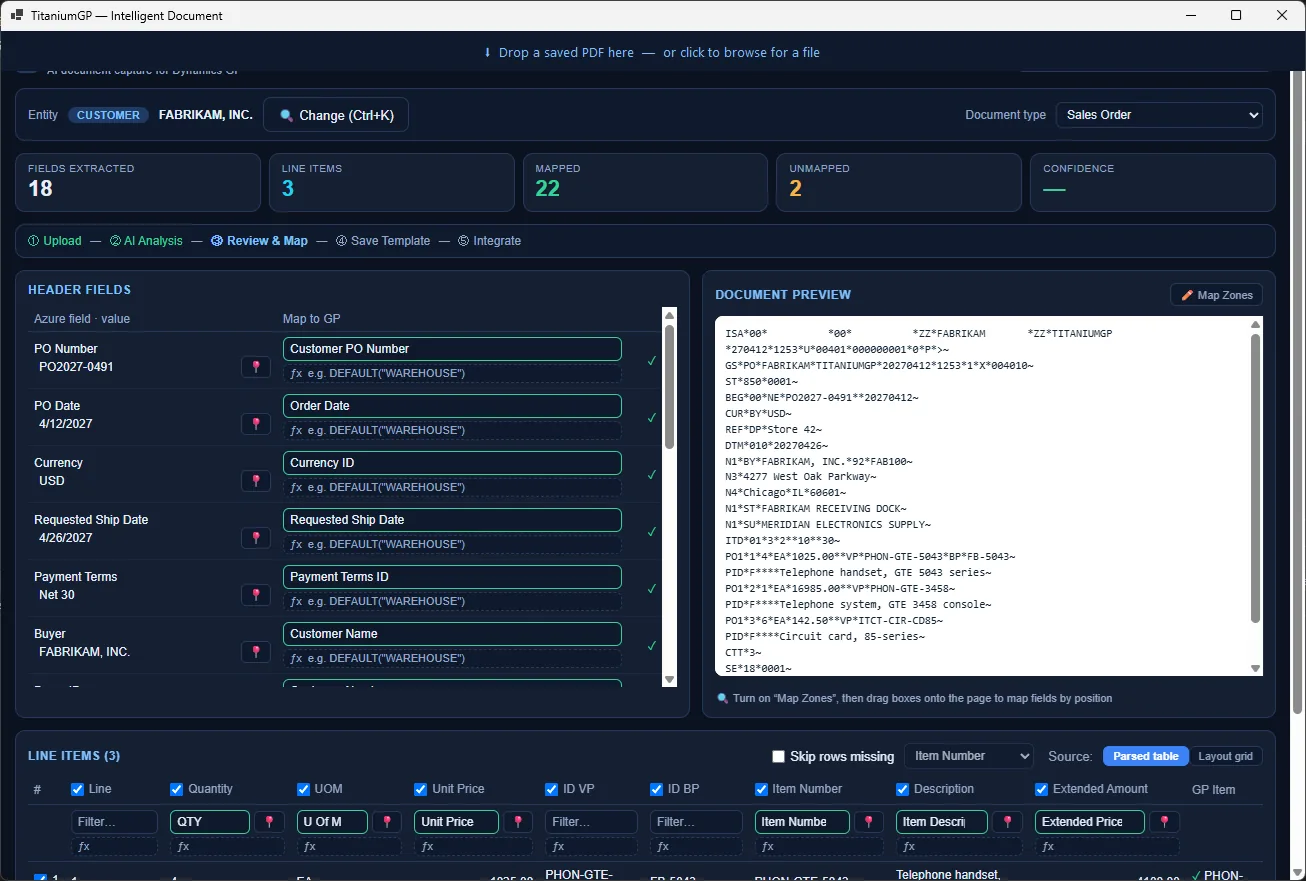
Documents in. Data out. Zero typing.

Drop in a PDF, spreadsheet or Word file — or an EDI document from a trading partner — and TitaniumGP reads it, maps every field and line, and posts it into GP. AI extraction is optional: switch it off and it reads the document text only, so nothing is sent anywhere.

Command Center · Secure Access

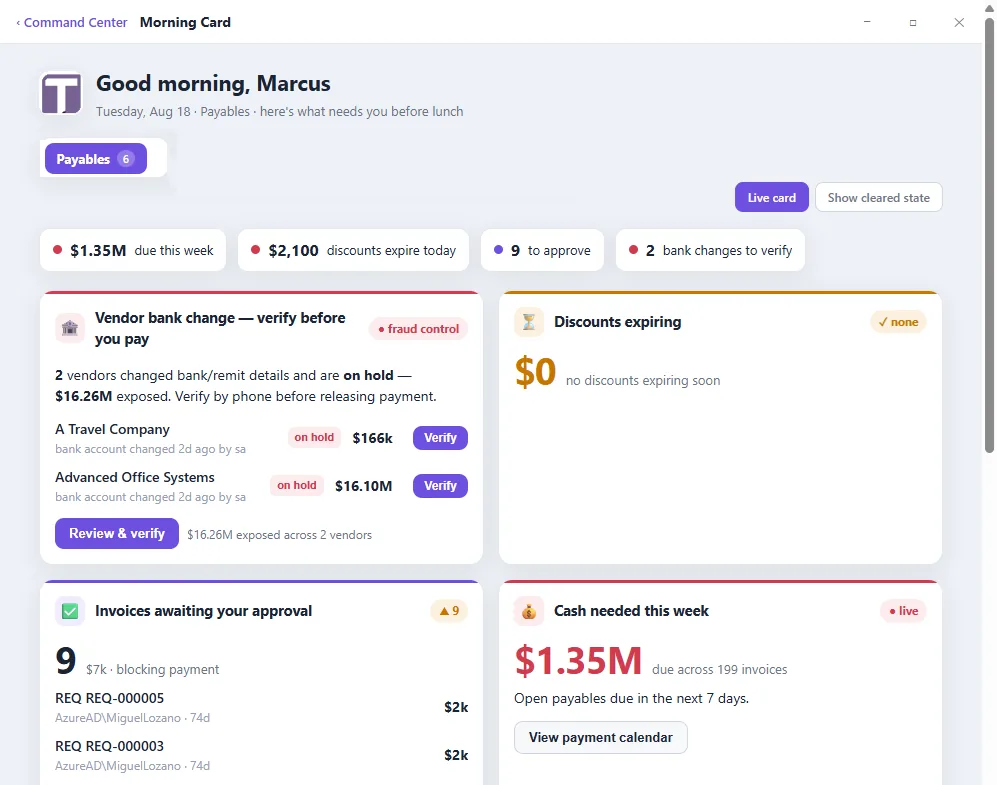
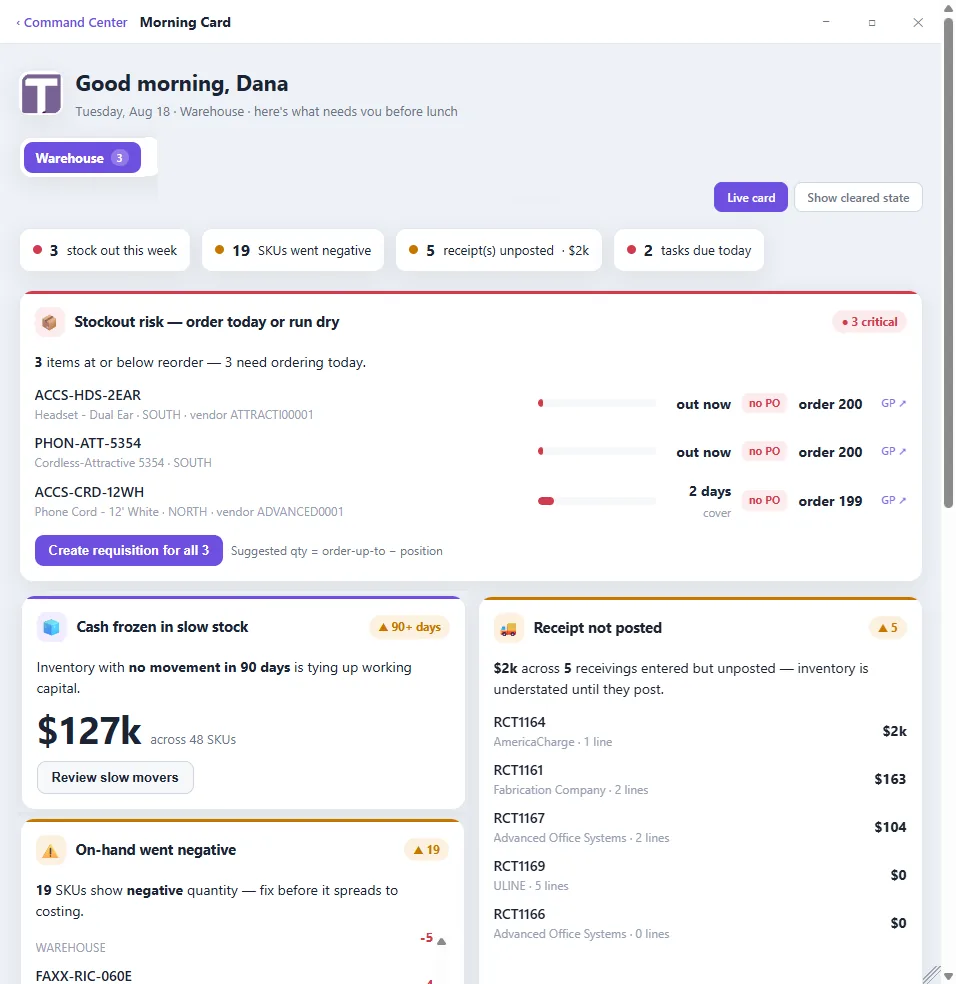
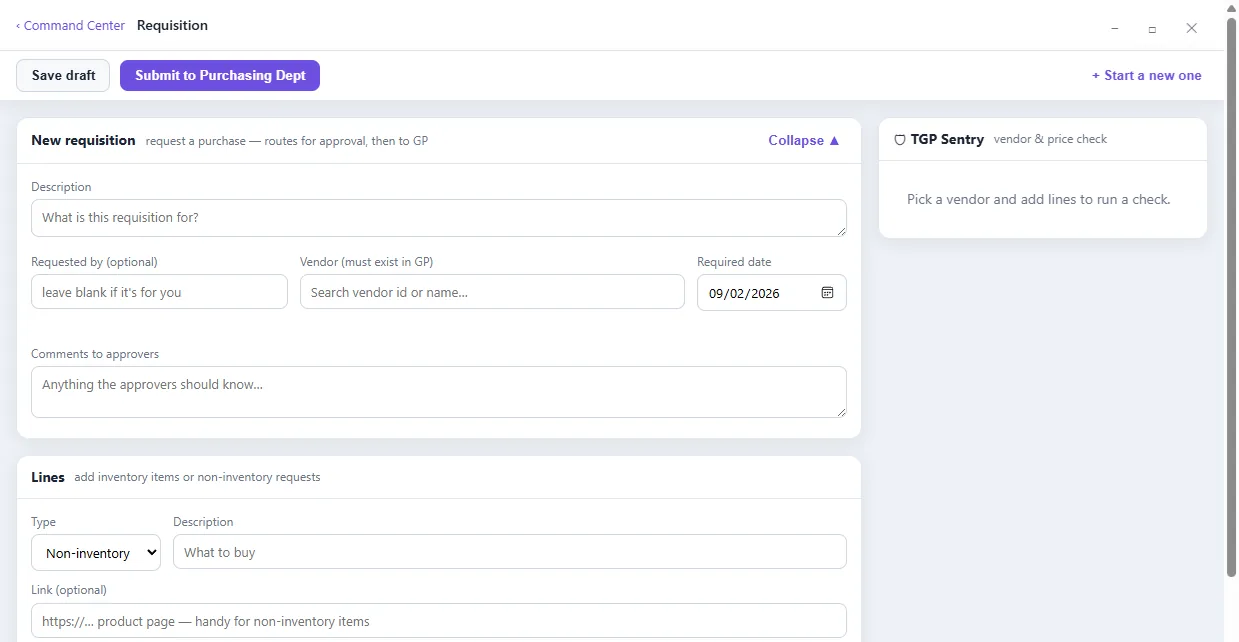
A modern, secure command center for GP

A clean front door to Dynamics GP — signed in with GP credentials or Active Directory. Role-based Morning Cards, universal search, inquiries and requisitions, all reading live from GP.

TGP+ · Excel with AI

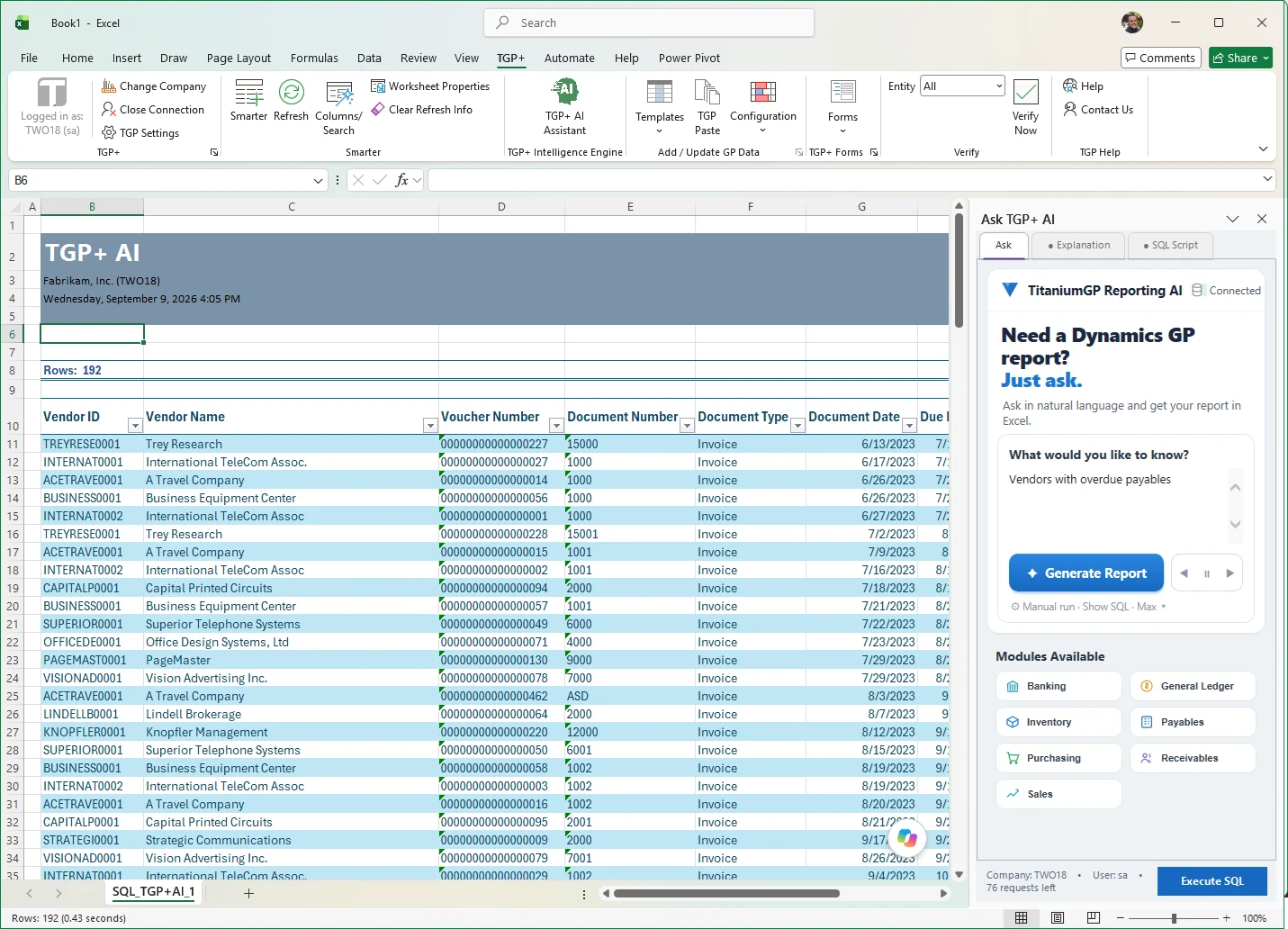
Ask Excel. Get answers from GP.

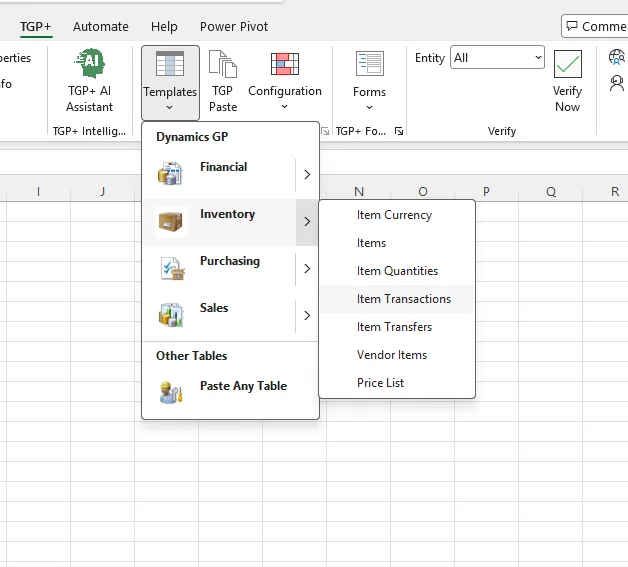
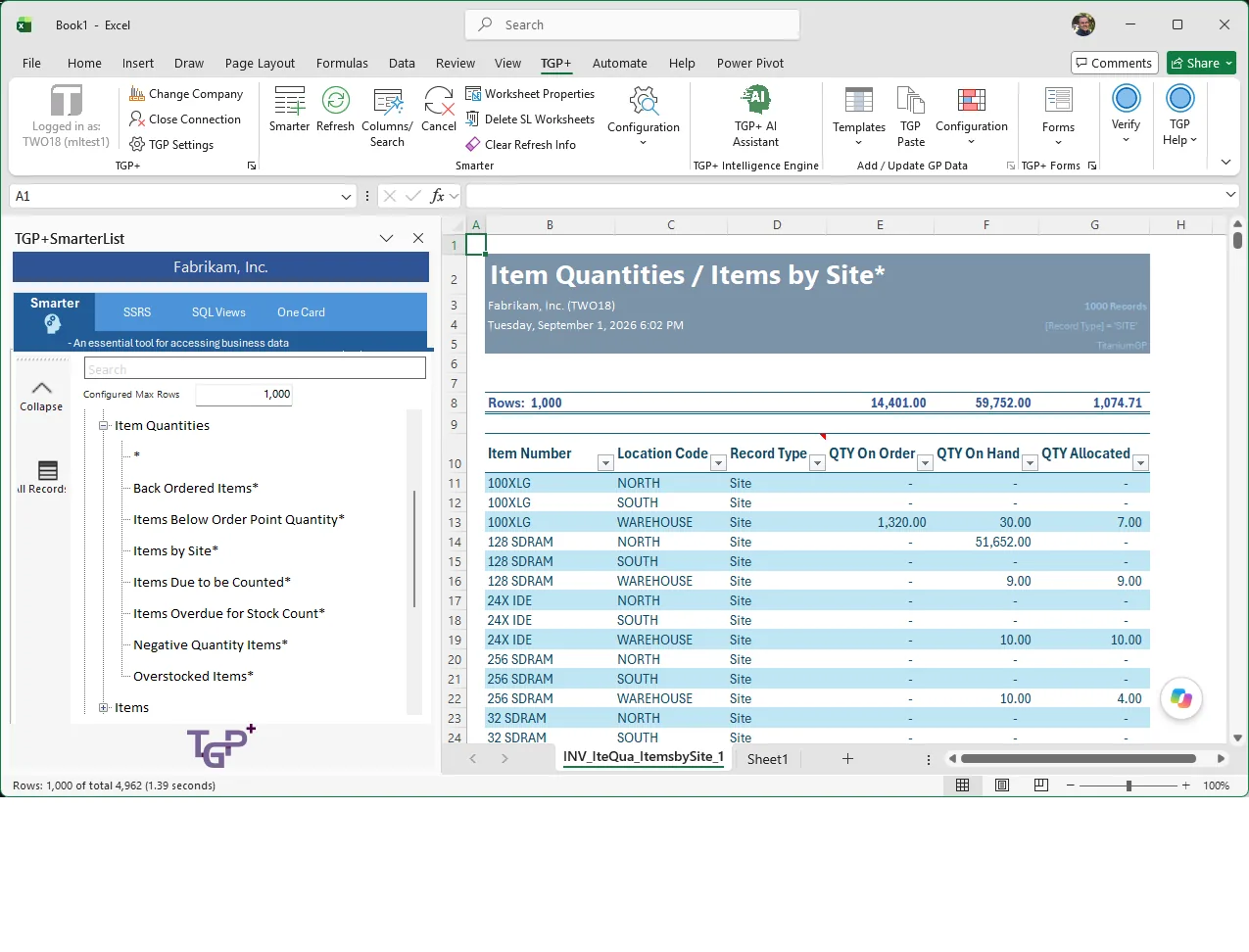
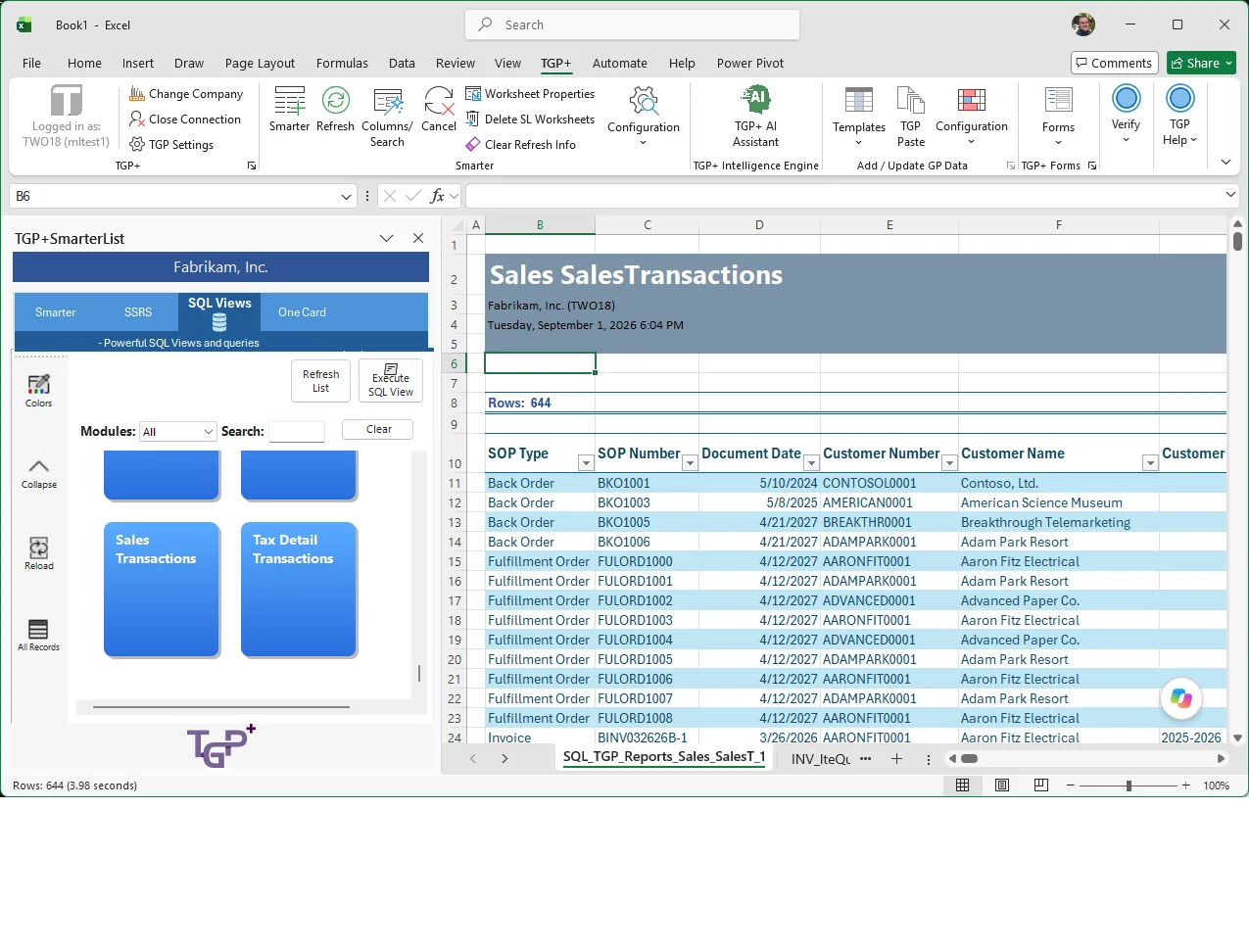
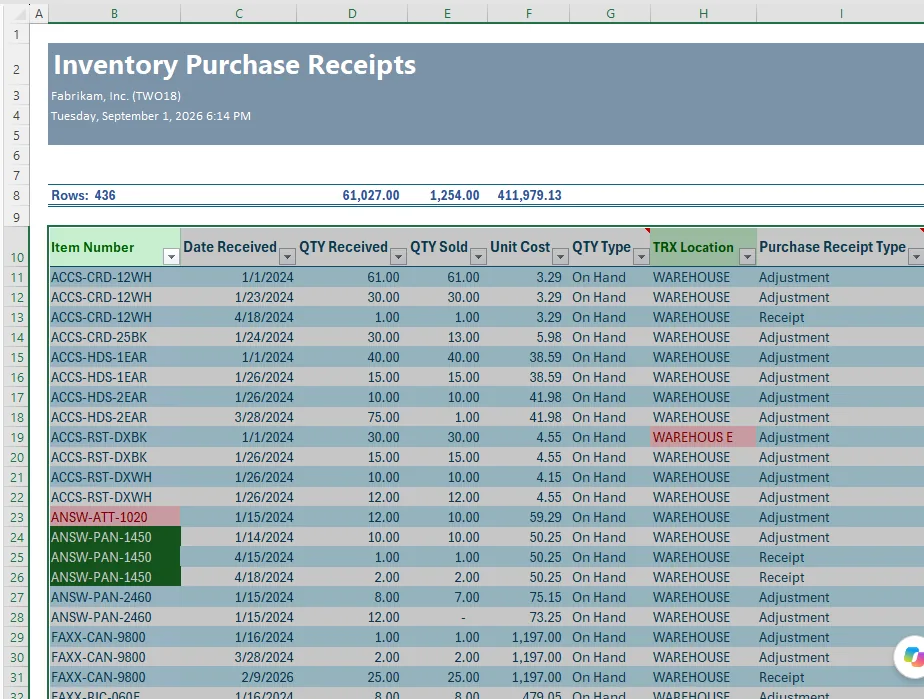
Bring live GP data into Excel and ask for what you need in plain English. Templates, SmartLists, custom SQL and safe write-back — all inside the tool your finance team already loves.

Elastic Windows · Your GP workspace

Your GP, with room to work

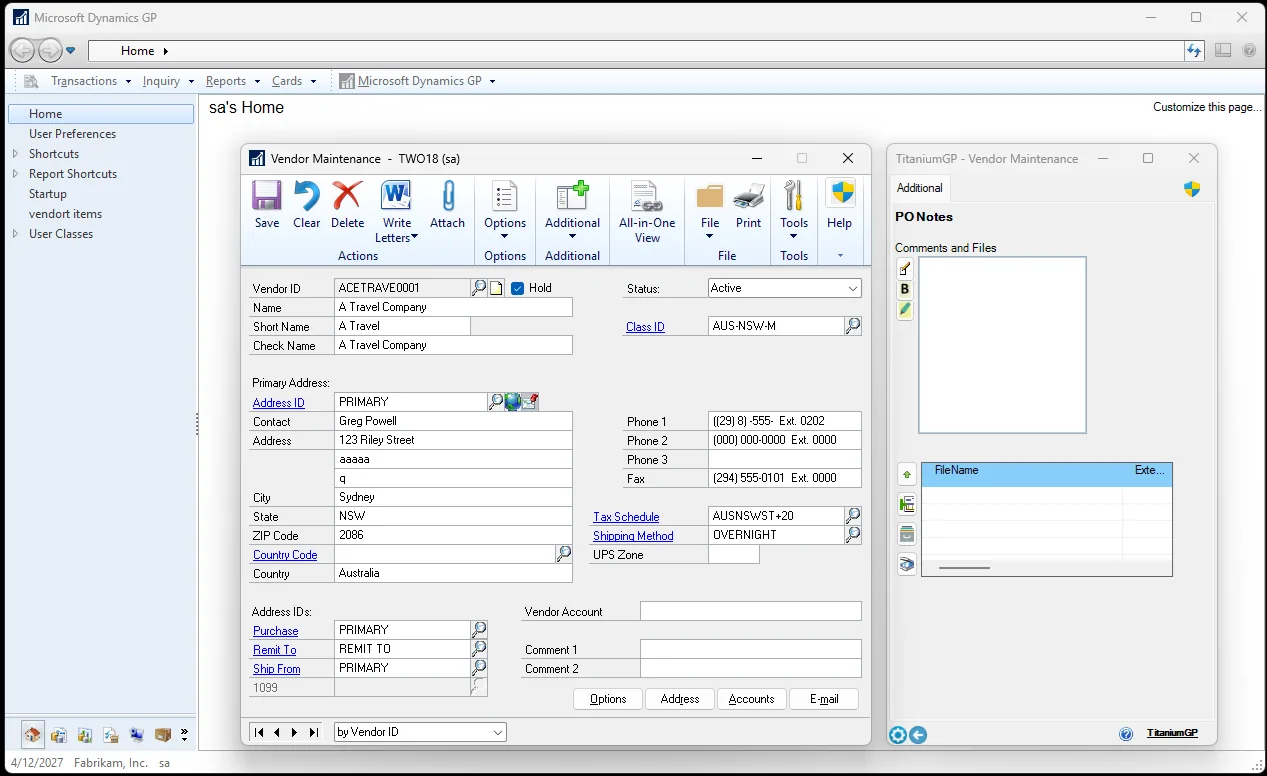
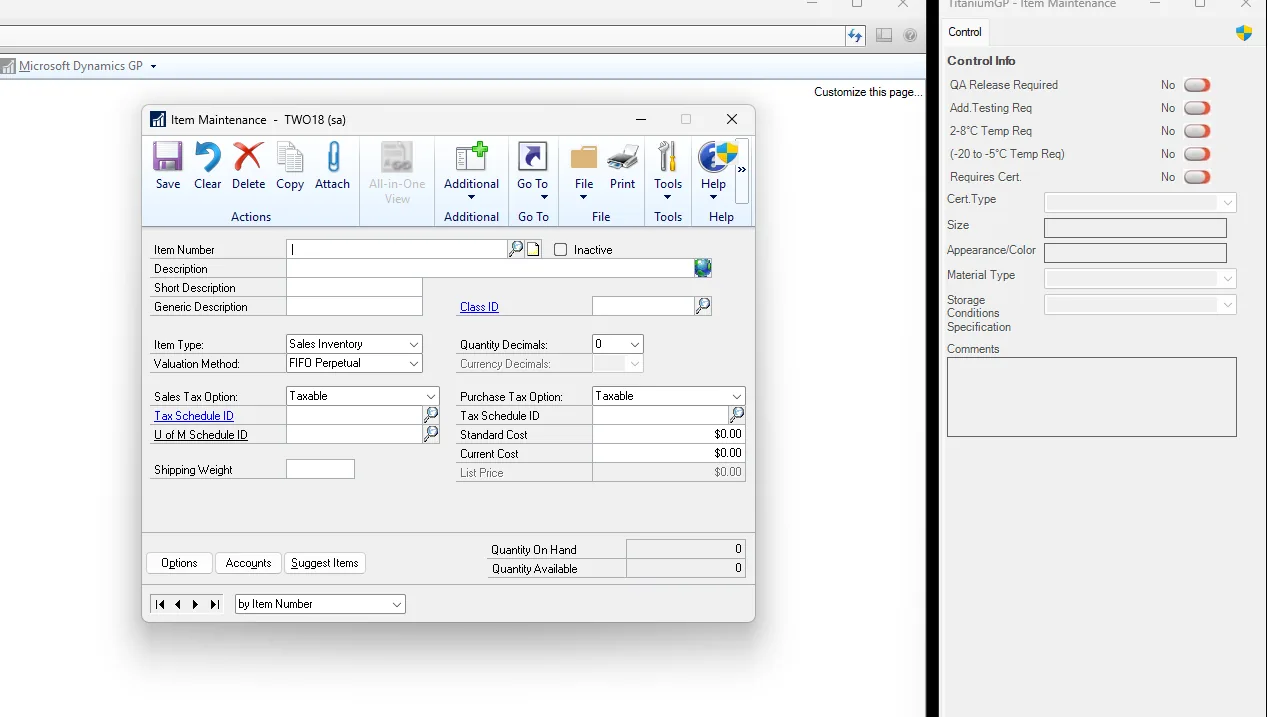
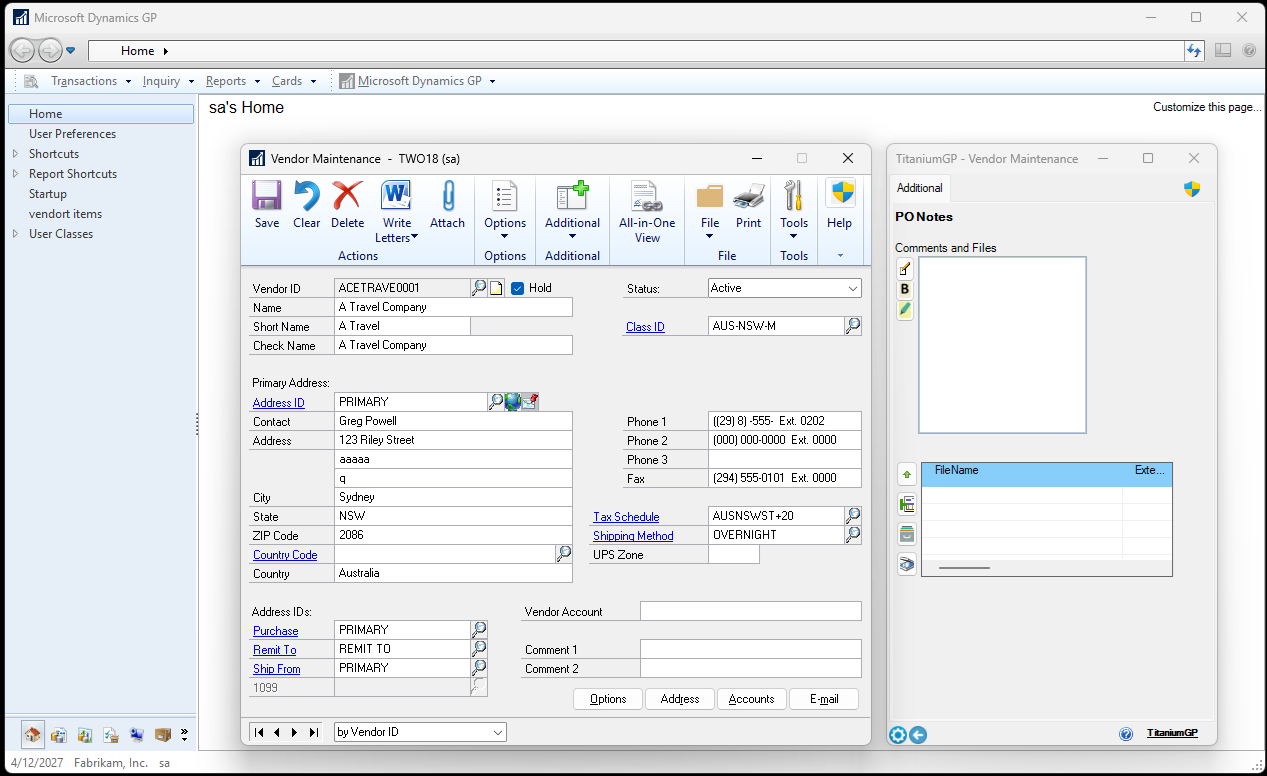
Elastic Windows gives your team space to work — dock panels, notes, files and related data right beside the Dynamics GP windows they use every day.

Month-End Close · Unattended

A close that runs itself, and tells you when it can’t

118 tasks across 9 GP modules, every one assigned to a named person with a due date. Start the period and the whole checklist generates itself — dated, owned and audit-stamped. From then on it tracks, computes and warns, and the only thing left for people is the accounting.

118tasks, ready to run
9GP modules, in close order
1click to generate a period
100%of changes audit-logged

Assigned, not hoped for

Every task has an owner, a due date computed from period end, a priority and a place to attach the reconciliation that proves it. Reassign in bulk when the calendar moves, and each person gets one consolidated notice of what just landed on their plate.

Blocked means blocked, with a reason

A task can’t be marked blocked without saying why. The dashboard lists every blocked item with its reason, its owner and how many days it has been stuck — so a manager sees what is holding the close and jumps straight to it.

Audit-ready by construction

Each changed field writes its own attributed, timestamped row. Who marked it complete, when it became blocked, who reassigned it — the history is there because it was never optional.

How the close monitor works → Alerts & escalation →

The foundation

The productivity suite GP users love

The everyday utilities that started it all — still saving your team clicks, keystrokes and headaches.

Every tool, in detail

What each one actually does

The suite above, one block per tool — what it removes, what you can do with it, and why people keep it switched on.

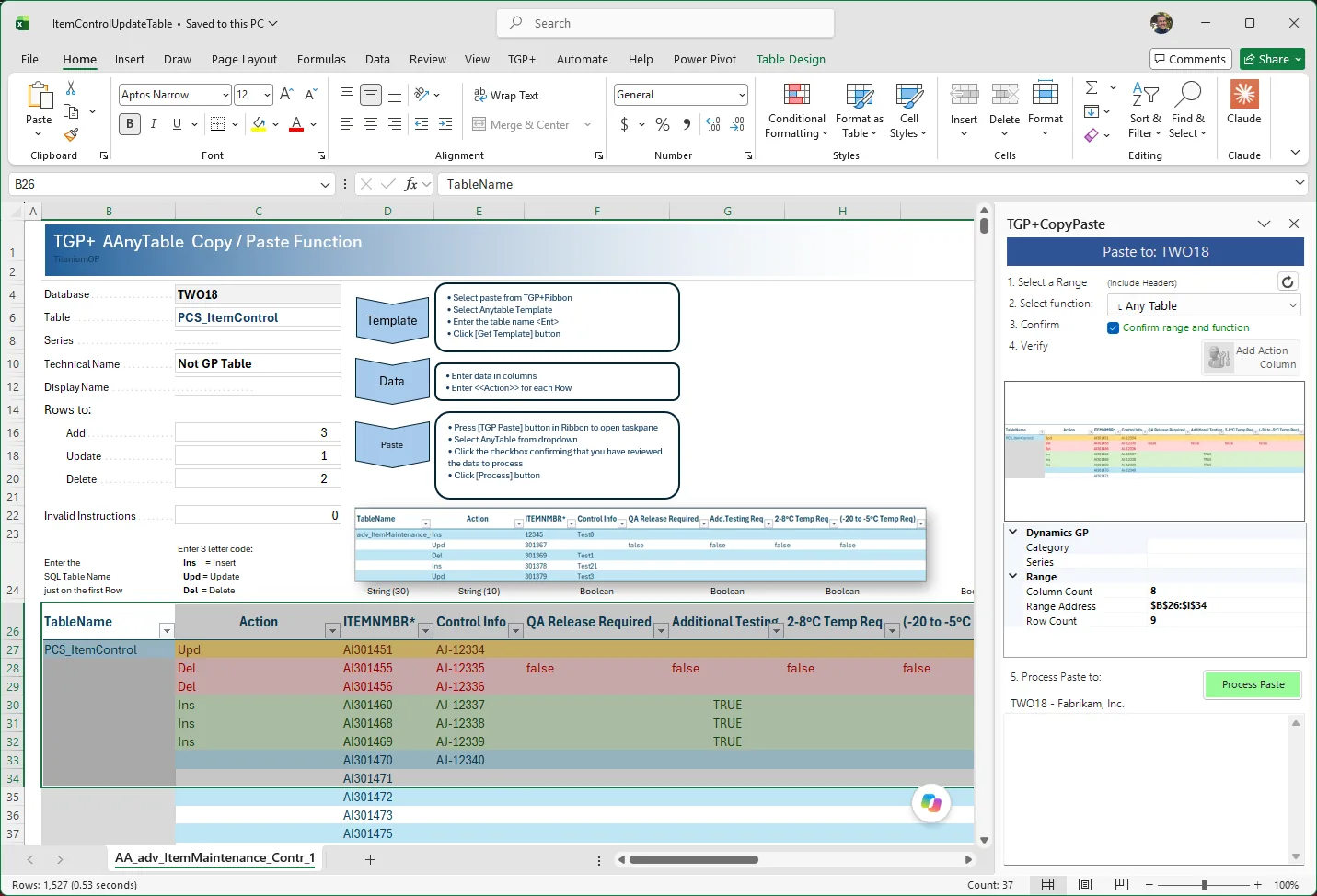
Copy / Paste

Paste a spreadsheet straight into Dynamics GP

Dynamics GP is a capable system, but entering data into it gets painful as the volume grows. Anyone who has keyed a hundred journal lines from a spreadsheet knows exactly how painful.

Copy/Paste reads the data on your clipboard, works out which GP field each column belongs in from your Excel headers, and fills the window. Two clicks: copy in Excel, paste in GP.

What you can do with it

  • Paste into over 80 Dynamics GP windows
  • Create multiple sales orders at once from a single sheet
  • Update existing records in bulk, not just create new ones
  • With Elastic Windows, edit fields GP normally won't let you touch

Why people keep it on

It turns an afternoon of keying into a minute of pasting, and it removes the transcription errors that come with the keying.

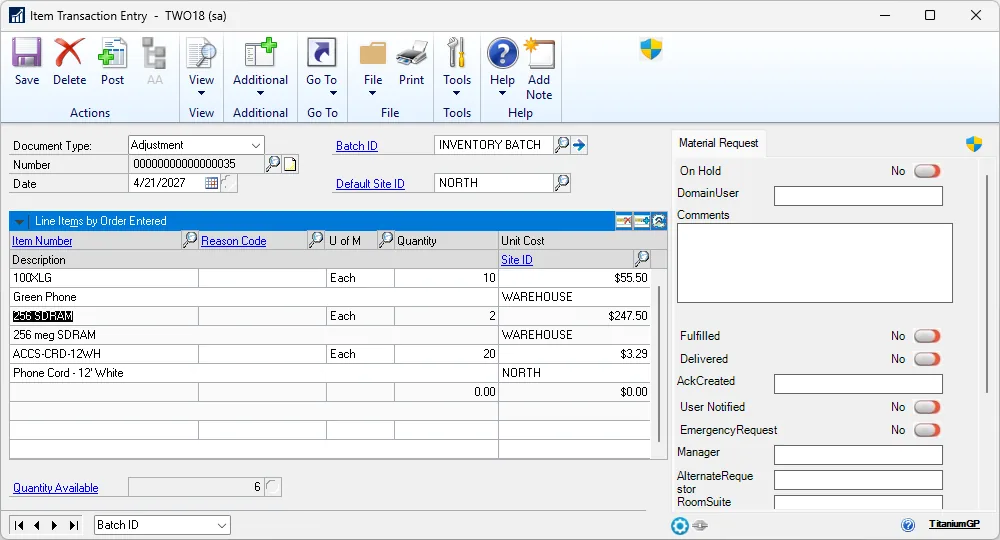
Works with Journal Entries · Purchase Orders · Receiving · SOP Entry · PM Transactions · Inventory Transactions · Inventory Transfer · Inventory Kits
Step-by-step guide →

Elastic Windows

GP windows that finally fit your monitor

Dynamics GP windows were sized for the monitors of twenty years ago. On a modern screen they sit in the middle as a small box, showing eight rows of a two-hundred-row document.

Elastic Windows lets you resize them, dock them, and reshape them so the space on your screen is actually used.

What you can do with it

  • Resize any GP window and keep the size next time you open it
  • Dock windows side by side instead of stacking them
  • See more rows without scrolling

Why people keep it on

Fewer scrolls, fewer misreads, and a GP that looks like it belongs on the machine it's running on.

Step-by-step guide →

A Dynamics GP window resized to fill a modern monitor
The Button

The routine GP chores, done in one click

Every GP site has a handful of jobs that someone does by hand, the same way, over and over. They are too small to justify a customisation and too frequent to ignore.

The Button puts those jobs behind a single click, so the routine work stops being a routine interruption.

TGP Validate

Catch bad data at the keyboard, not at month-end

Bad data is cheap to fix at the moment it is keyed and expensive to fix once it has posted and been reported on.

TGP Validate applies your own data quality rules while the user is still in the window, so the correction happens before the record is saved rather than in a clean-up exercise weeks later.

TGP Remember

GP that remembers how you left it

Dynamics GP forgets. Every session starts from the same defaults, so the same people re-enter the same choices in the same windows, every morning.

TGP Remember keeps a user's preferences and defaults between sessions, so GP opens the way that person actually works instead of the way it shipped.

TGP Resources

The document everyone needs, where they already are

The procedure note, the price list, the approval matrix — the reference material a GP user needs is usually in a share, an inbox, or someone's head.

TGP Resources keeps that material in one place reachable from inside GP, so people stop hunting for it and stop working from stale copies.

TGP Safe

A second check on the actions you cannot undo

Some GP actions are consequential and easy to trigger by accident. GP's own permissions are all-or-nothing: a user either can do the thing or cannot.

TGP Safe adds protection around those sensitive actions, so the ones that warrant a deliberate confirmation get one.

NextID

Never look up the next customer number again

Creating a master record in Dynamics GP starts with a small, avoidable chore: working out which identifier to use next. Someone checks the last one, adds one, and hopes nobody else is doing the same thing at the same moment.

NextID fills that number in for you, in sequence, at the moment you create the record.

What you can do with it

  • Get the next available ID on the master-record windows you use most
  • Cover customers, vendors, items, employees and prospects
  • Avoid the collisions that come from two people picking a number at once
  • Avoid the gaps that come from a number being reserved and never used

Why people keep it on

It removes a small piece of friction that happens dozens of times a week, and it keeps your numbering sequences clean enough to trust.

Works with Customer Maintenance · Vendor Maintenance · Item Maintenance · Employee Maintenance · Prospect Maintenance

Step-by-step guide →

Where this is heading

An ERP that runs while you sleep

Every release moves more of the work off someone’s desk and into the night. The goal is simple: you arrive in the morning to decisions, not to a queue.

Analysis that happens overnight

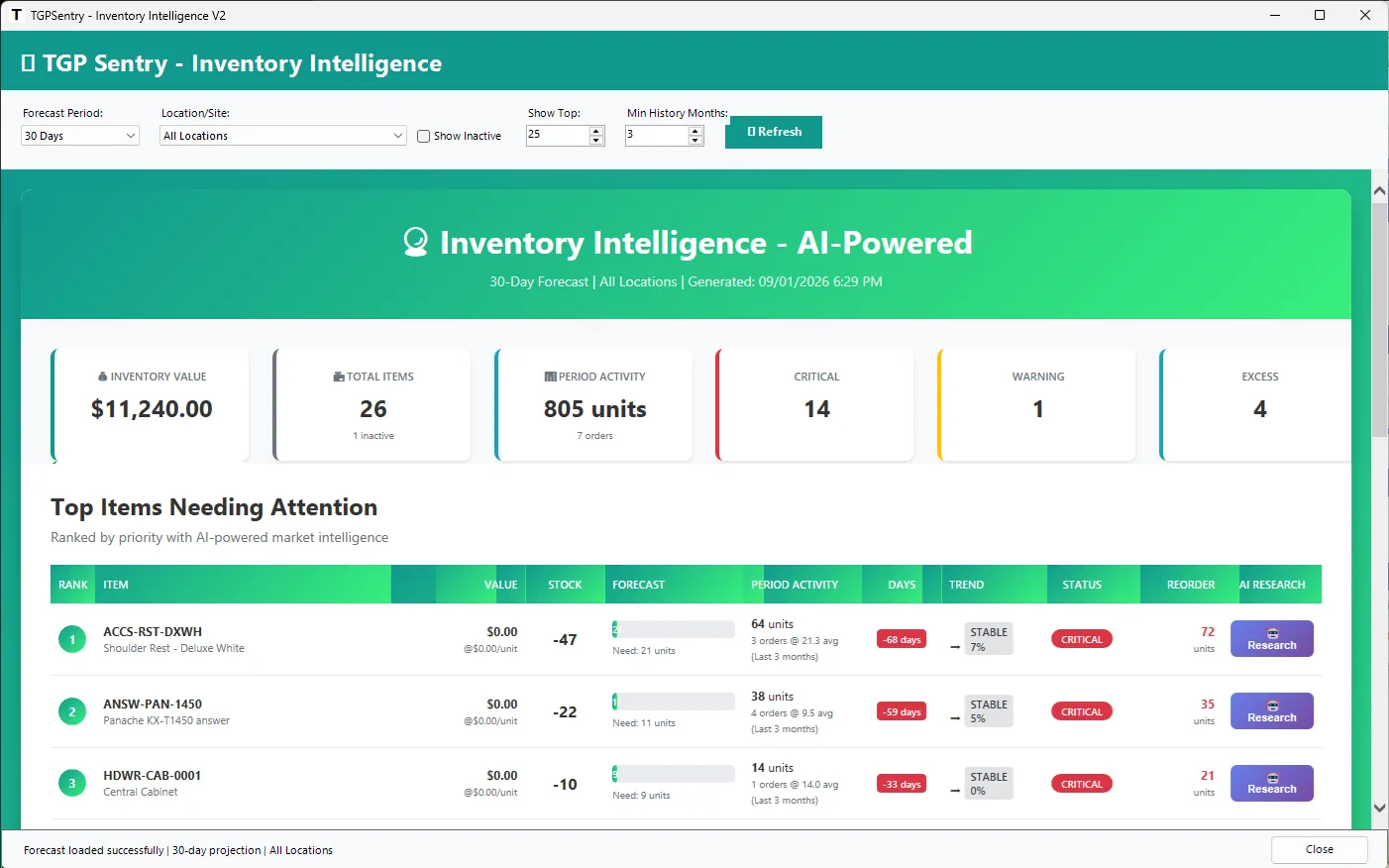
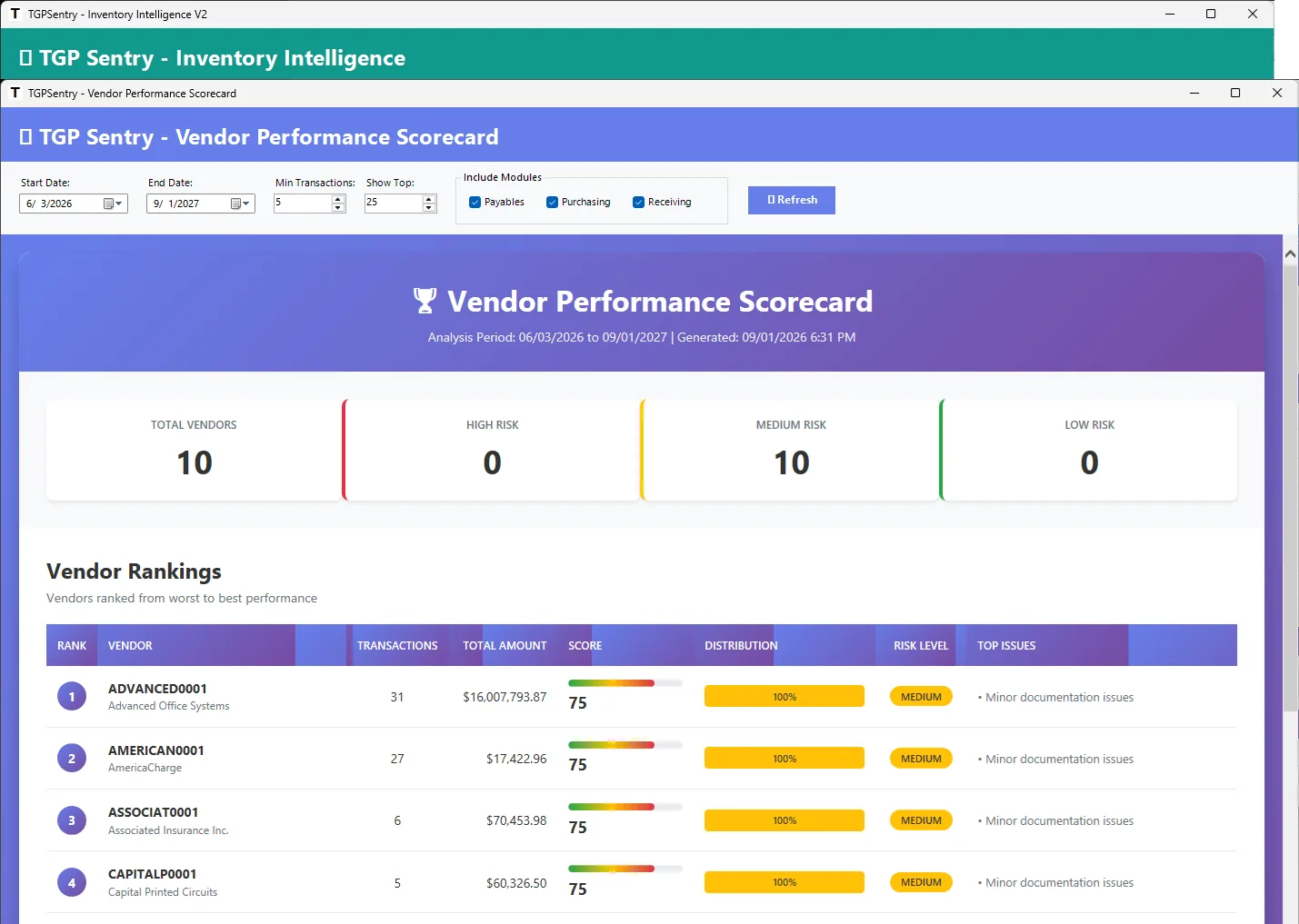
Sentry scores your documents, vendors and inventory while nobody is at the keyboard, and the Morning Card is waiting when you sit down — what to act on, what to know, what is coming.

EDI, both directions

Generate the files your trading partners expect and consume the ones they send, mapped straight into Dynamics GP. No portal to re-key from, no separate platform to run.

A month-end that manages itself

118 close tasks with owners and due dates, generated in one click, with blocked items and overdue work surfaced early enough to do something about them — rather than found on day three of the close. See how it works.

Autonomous where it can be, and always able to show its working. Nothing runs behind your back: every score, match and tie-out explains how it got there.

Why teams choose TitaniumGP

Keep the ERP you trust — add the powers you want

Modernize Dynamics GP on your terms: a quick install, a predictable subscription, and everything your team already knows stays exactly where it is.

15–30 minute install

A single-file install drops onto your existing GP and you're live the same afternoon. Start free.

Enterprise-grade security

Access controlled by GP credentials or Active Directory, with role-based permissions and audit trails throughout.

Predictable subscription

Modernize for one simple monthly price, and keep everything your team already knows about GP.

Pricing

One price. Everything included.

No modules to add on, no tiers to compare. Start with a free trial and cancel anytime.

All-in
TitaniumGP Suite
$449/month

Every tool we make, for your whole Dynamics GP site. Nothing is held back for a higher tier.

  • Full productivity suite — all 8 tools
  • TGP Sentry intelligence & dashboards
  • Command Center secure access
  • TGP+ for Excel, with AI
  • Intel Doc — AI document capture (optional) and EDI
  • Priority support & onboarding
See plans & buy

Paying yearly works out cheaper — compare on the purchase page.

Secure checkout powered by Stripe · 30-day free trial · No credit card to start

Ready to make GP something to be proud of?

Join the finance and operations teams turning Dynamics GP into a modern, intelligent platform — in an afternoon. 15–30 minute install. Start free.

Contact us

Let's talk about your GP

Questions, a demo, or help getting started — we're a message away.

Office

San Diego, California

Prefer to chat?

Use the assistant in the corner for instant answers.

We'll reply within one business day.